![trekksoft-whitelogo.png]](https://support.trekksoft.com/hs-fs/hubfs/trekksoft-whitelogo.png?height=30&name=trekksoft-whitelogo.png)
Here is what we cover in this article:
_______________________________________________________
Overview
IMPORTANT ! Only Agents with the permission enabled to create a custom trip can convert an inquiry into a booking (Want to know more about permissions? Click here
Activity Inquiries allows customers to request to join a trip regardless if there’s a trip scheduled for the day or not. If you decide to accept the booking, a Custom/private activity booking can be made without a pre-assigned schedule.
_______________________________________________________
How to enable Inquiry for Activity
To create an inquiry activity, you’ll first need to create an activity.
1. Once the activity is created, you can activate the Inquiry option. From the activity overview page, select the activity. Then, go to Activity Info tab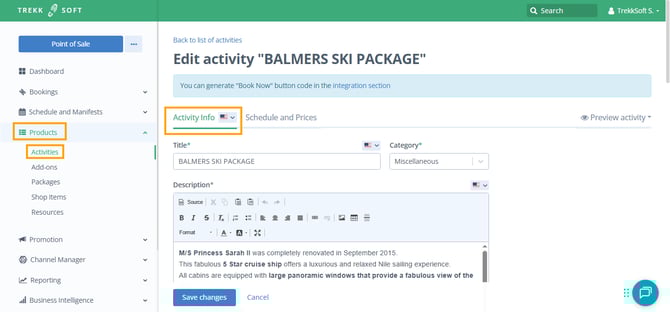
2. Scroll down and find Advance options. Go to Other settings and check the box for the Inquiry option.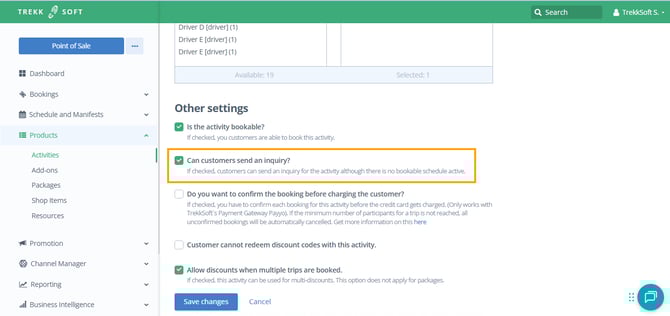
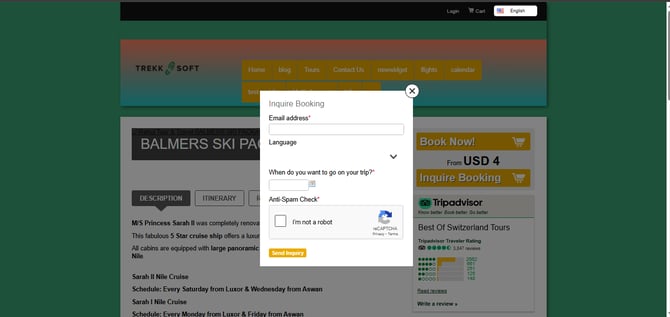
Once this option has been enabled, an inquiry button will appear on the activity page. Your customers will now be able to send your booking inquiries.
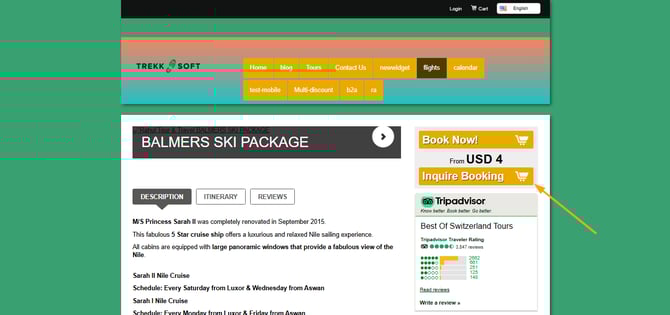
When a customer clicks on the inquiry button, they will be prompted to complete a booking inquiry form. The fields in the form can be edited to make sure you’re collecting relevant information.
 ________________________________________________________________________
How to retrieve Activity Inquiries
Whenever a booking inquiry is made, a notification email will be sent to you with all the information about the inquiry.
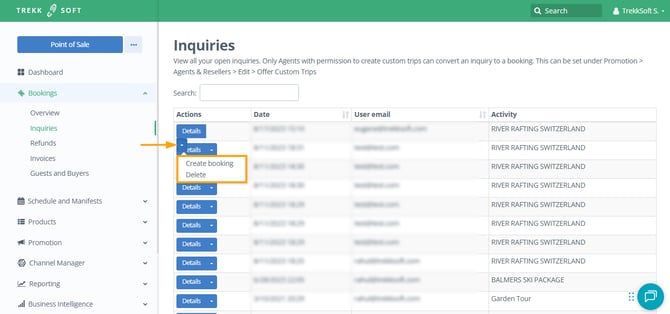
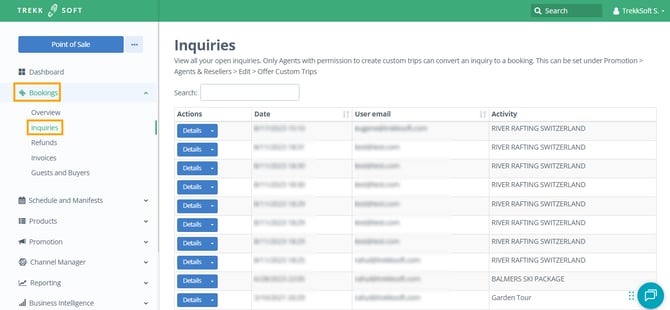
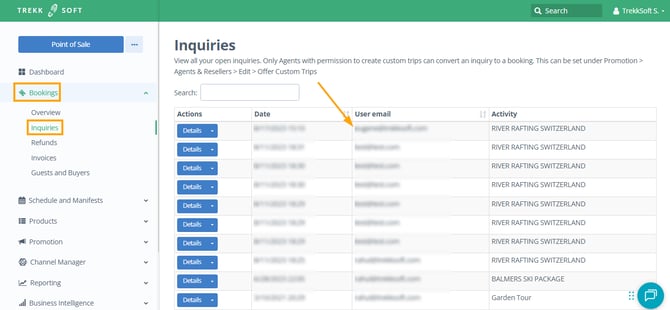
To retrieve this inquiry, go to Bookings and then Inquiries from the left side menu.
You’ll be able to contact your customer at the email address you’ve collected from the Inquiry form
From this view, you can:
- Create a booking with the given details
- Delete this inquiry