![trekksoft-whitelogo.png]](https://support.trekksoft.com/hs-fs/hubfs/trekksoft-whitelogo.png?height=30&name=trekksoft-whitelogo.png)
Here is an overview of what we cover in this article:
_______________________________________________________
Overview
Pages created in the CMS in your Admin Desk will appear on your website in the order that you create them in your Admin Desk. However, you can drag and drop your pages into the order that you wish them to appear.
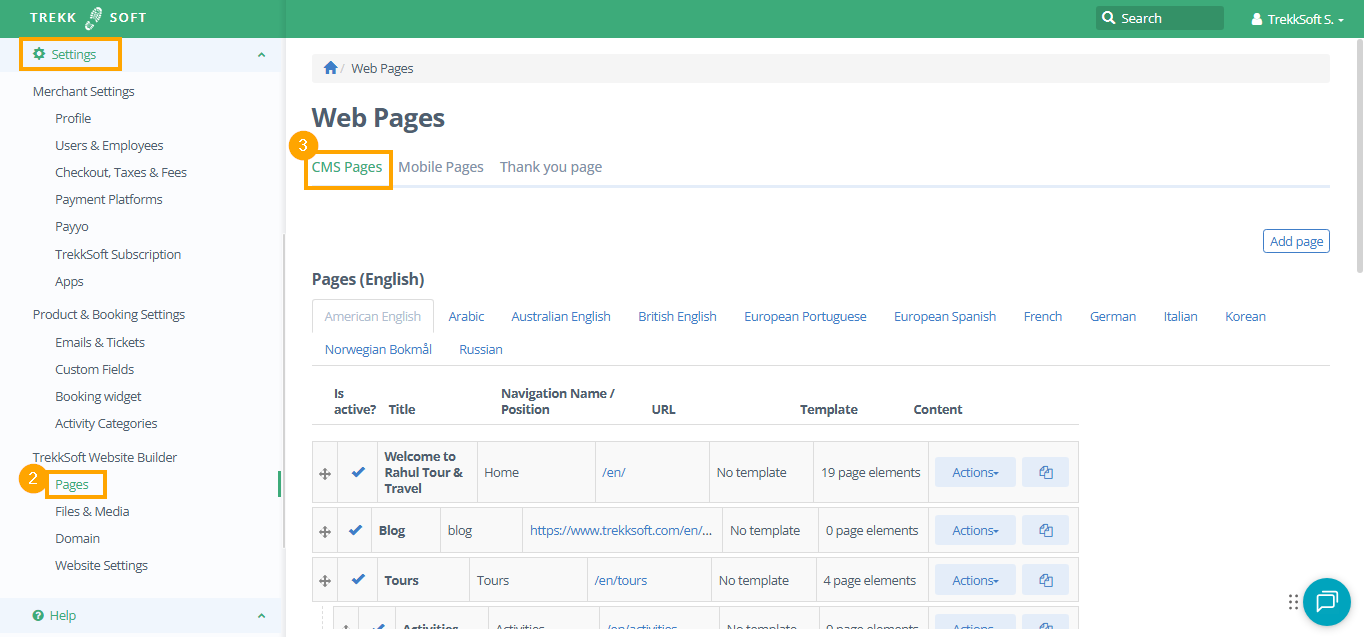
First, you need to navigate to the pages of your website in your Admin Desk. You can find your pages following these steps:
- Go to your Admin Desk (e.g. yoursite.trekksoft.com/admin)
- On the left-hand side menu, navigate to Settings > TrekkSoft Website Builder > Pages.
- On the window on the right, go to CMS Pages.
_______________________________________________________
Menus
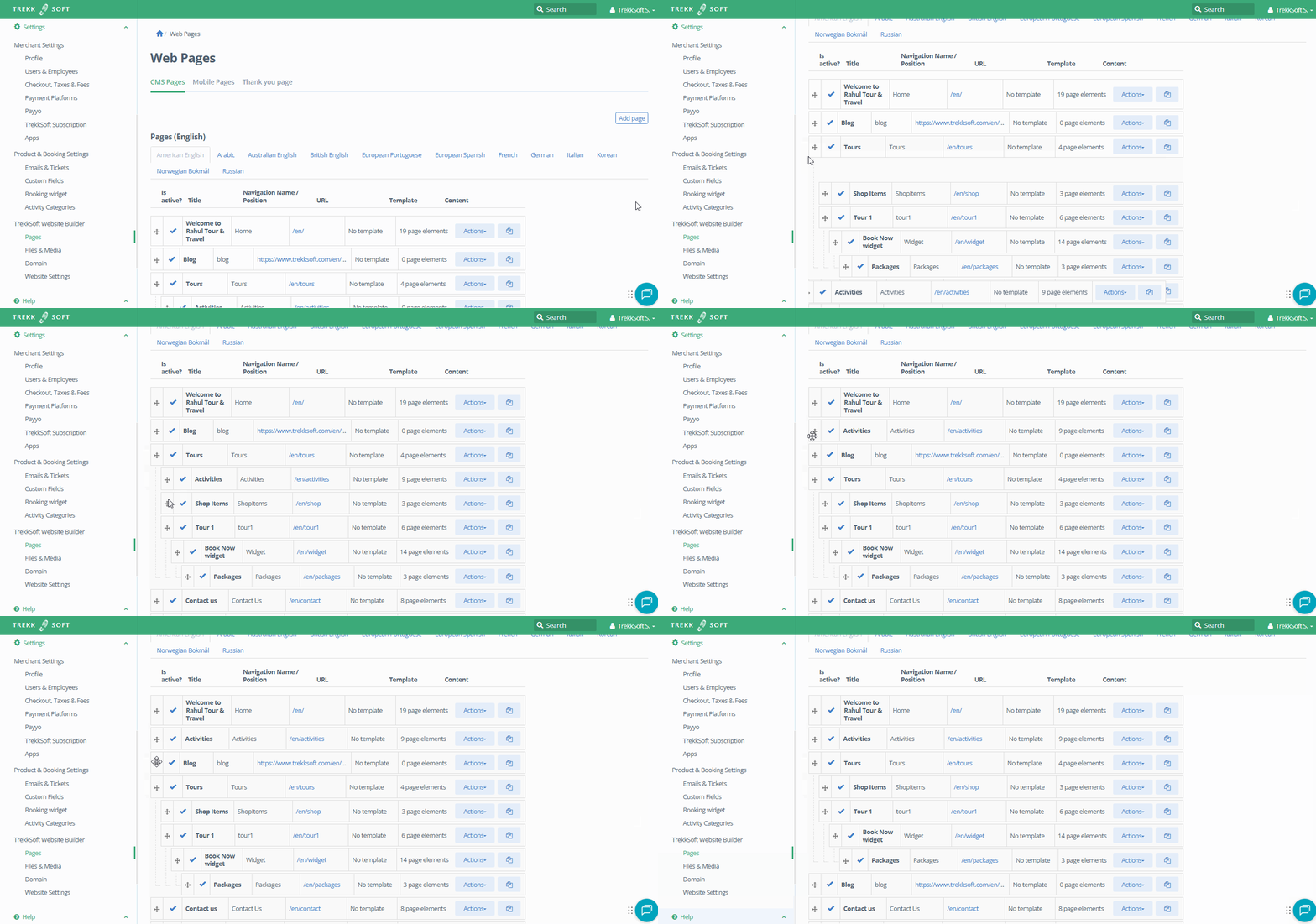
In the pages dashboard, you will see a list of all pages you have created. You can simply drag and drop each of the pages up or down (as shown below):
_______________________________________________________
Sub Menus
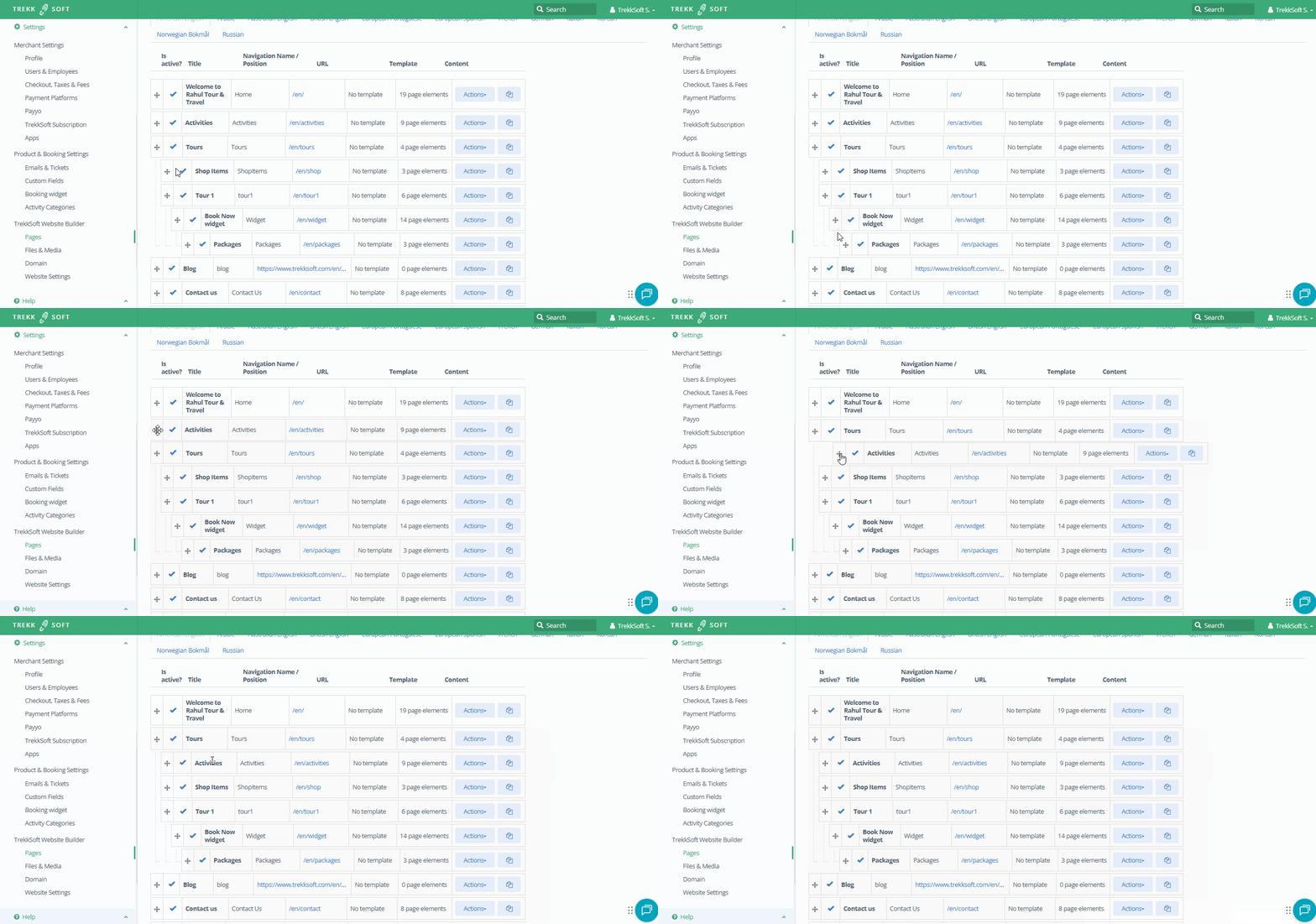
To add a sub-menu, drag an item further to the right, and it will lock in as a sub-menu.
_______________________________________________________
Website Preview
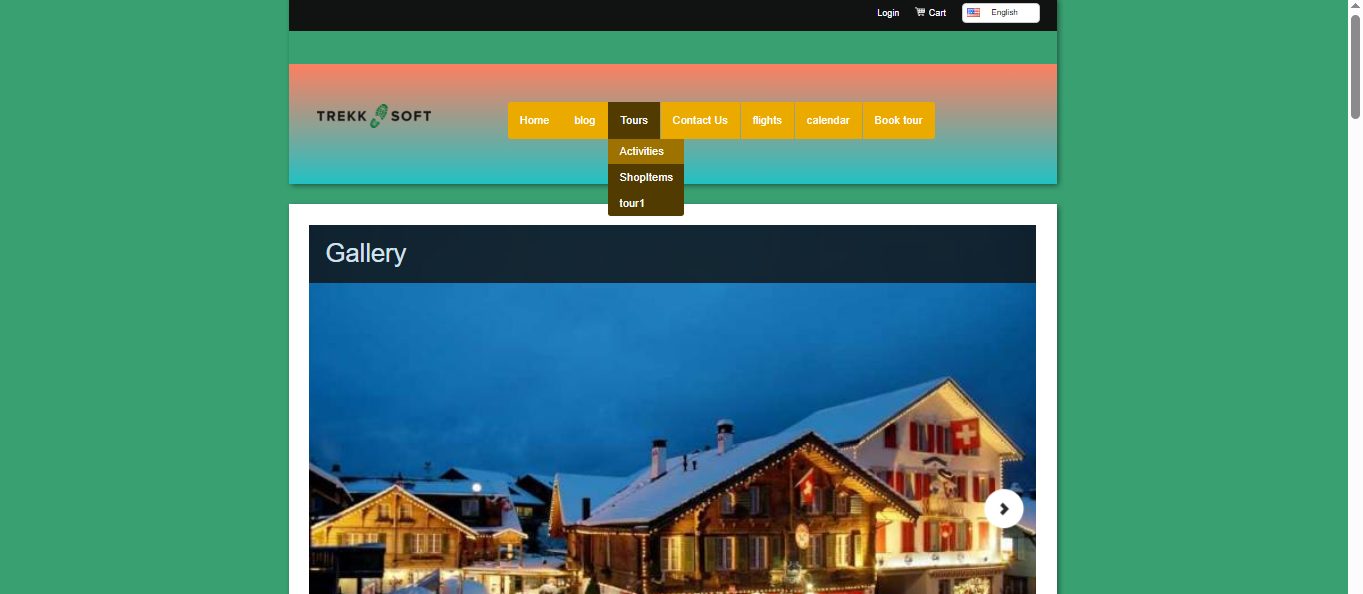
Once completed, your pages will display in the drop-down menu on your website's navigation bar (as shown below):