![trekksoft-whitelogo.png]](https://support.trekksoft.com/hs-fs/hubfs/trekksoft-whitelogo.png?height=30&name=trekksoft-whitelogo.png)
Custom CSS feature is available in TrekkSoft.com! You can add your custom CSS code to make customize changes in your TrekkSoft website by navigating to:
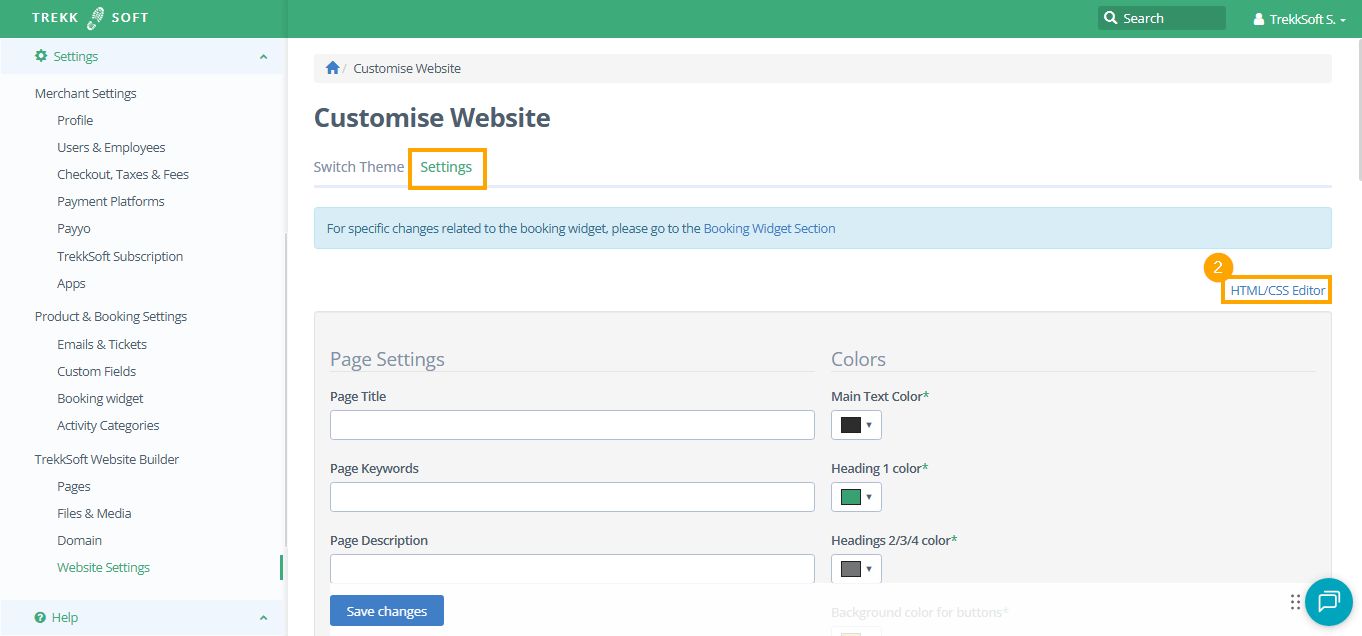
- Back office > Settings > TrekkSoft Website Builder > Website Settings.

- Now you are in the Settings tab. In the top right-hand corner, click the HTML/CSS Editor button.
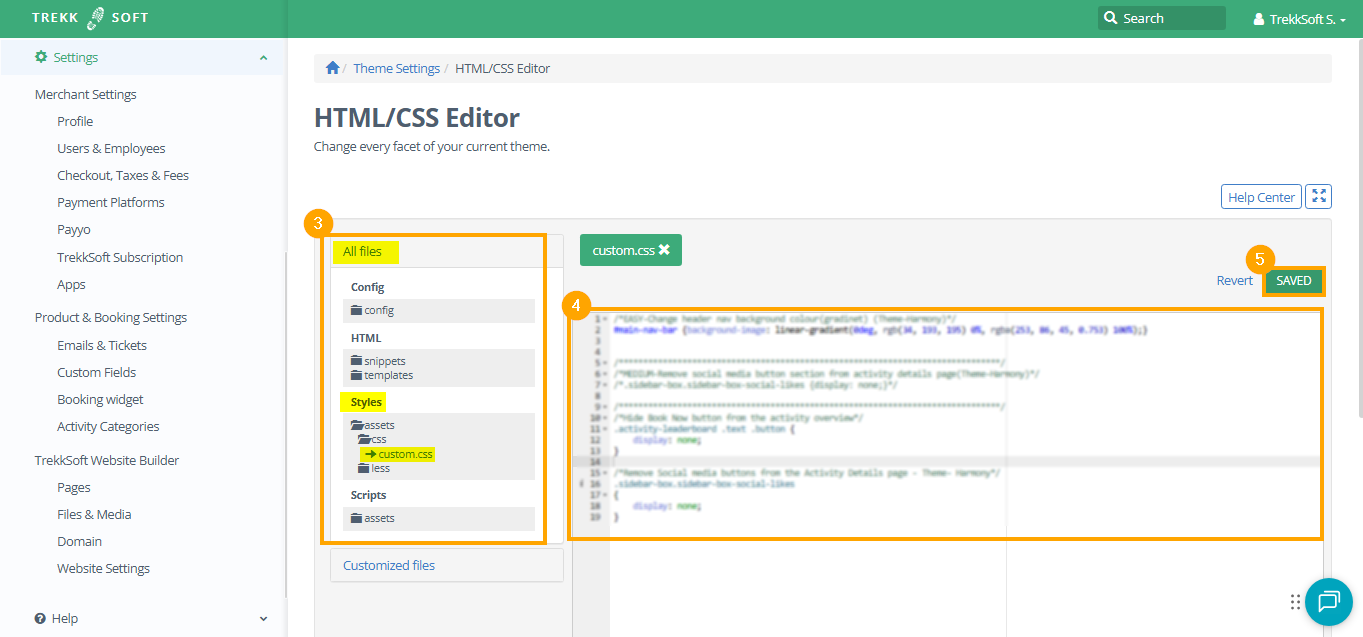
- Navigate to All files > Styles > assets> css → custom.css (as shown in the screenshot below)
- Enter the custom css code in the custom.css file.
- Finally, click Save.
NOTE! Please do not change any other files here as it may cause issues with other functionalities of your website.