![trekksoft-whitelogo.png]](https://support.trekksoft.com/hs-fs/hubfs/trekksoft-whitelogo.png?height=30&name=trekksoft-whitelogo.png)
To remove the PDF file section as shown below, you need to add a custom CSS code snippet in the custom.css file (Harmony theme).
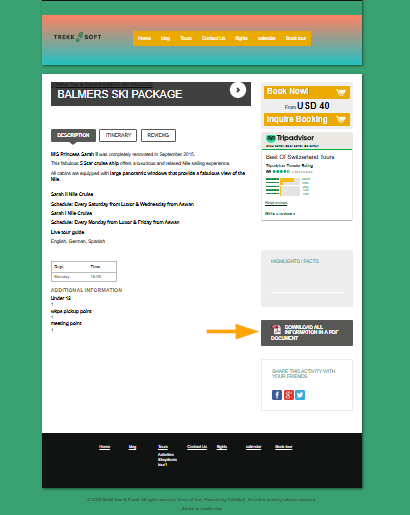
To open custom.css file you need to navigate to the following path:
-
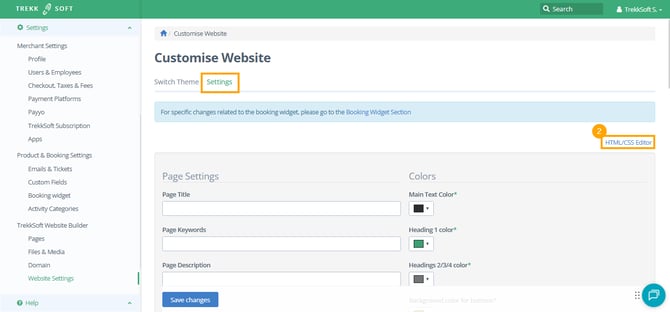
In your TrekkSoft Backoffice, navigate to Settings > TrekkSoft Website Builder > Website Settings.

-
Now you are in the Settings tab. In the top right-hand corner, click the HTML/CSS Editor button.
-
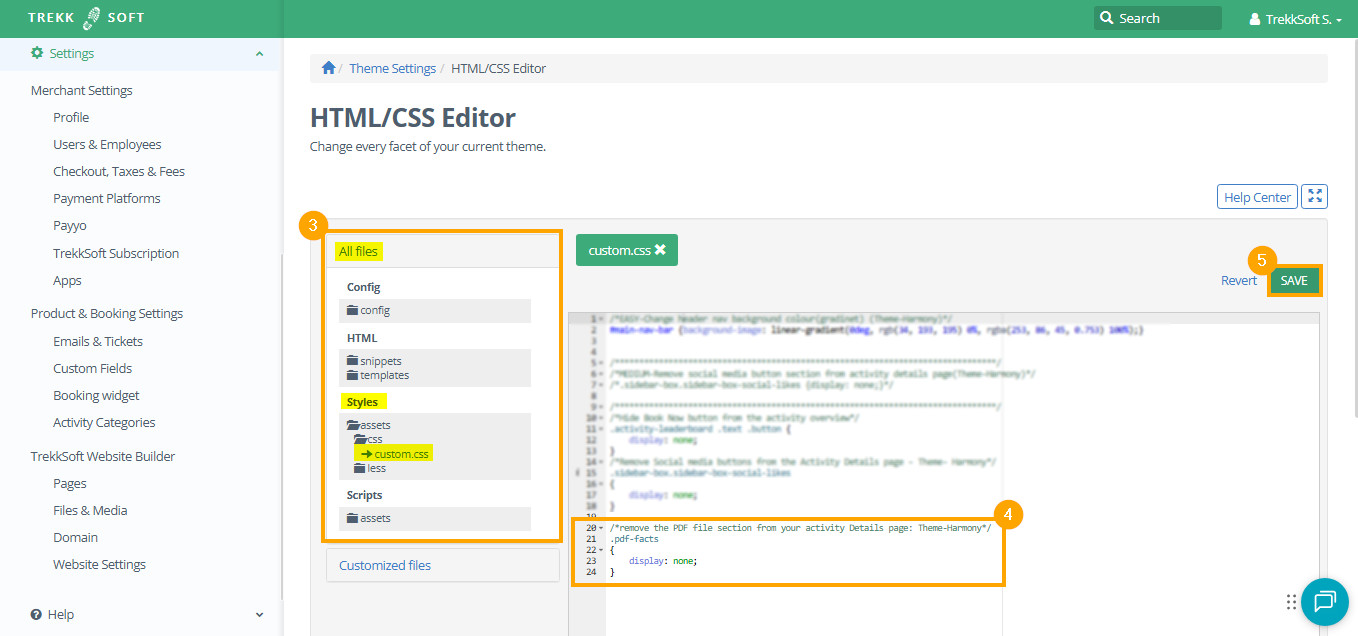
Navigate to All files > Styles > assets > css > custom.css
-
Then copy the following code snippet, paste into custom.css
-
Finally, click Save (as shown below)
/*Remove PDF file section from your activity details page: Theme-Harmony*/
.pdf-facts
{
    display: none;
}
HELP CENTER ! To get more details on how to use custom CSS to customize your TrekkSoft website, click here.