![trekksoft-whitelogo.png]](https://support.trekksoft.com/hs-fs/hubfs/trekksoft-whitelogo.png?height=30&name=trekksoft-whitelogo.png)
Last update [Nov 13, 2022]
If you're connected to another TrekkSoft account through Partner Network, now you're able to share activities and include them in one of your packages in order to sell them.
How do we do this?
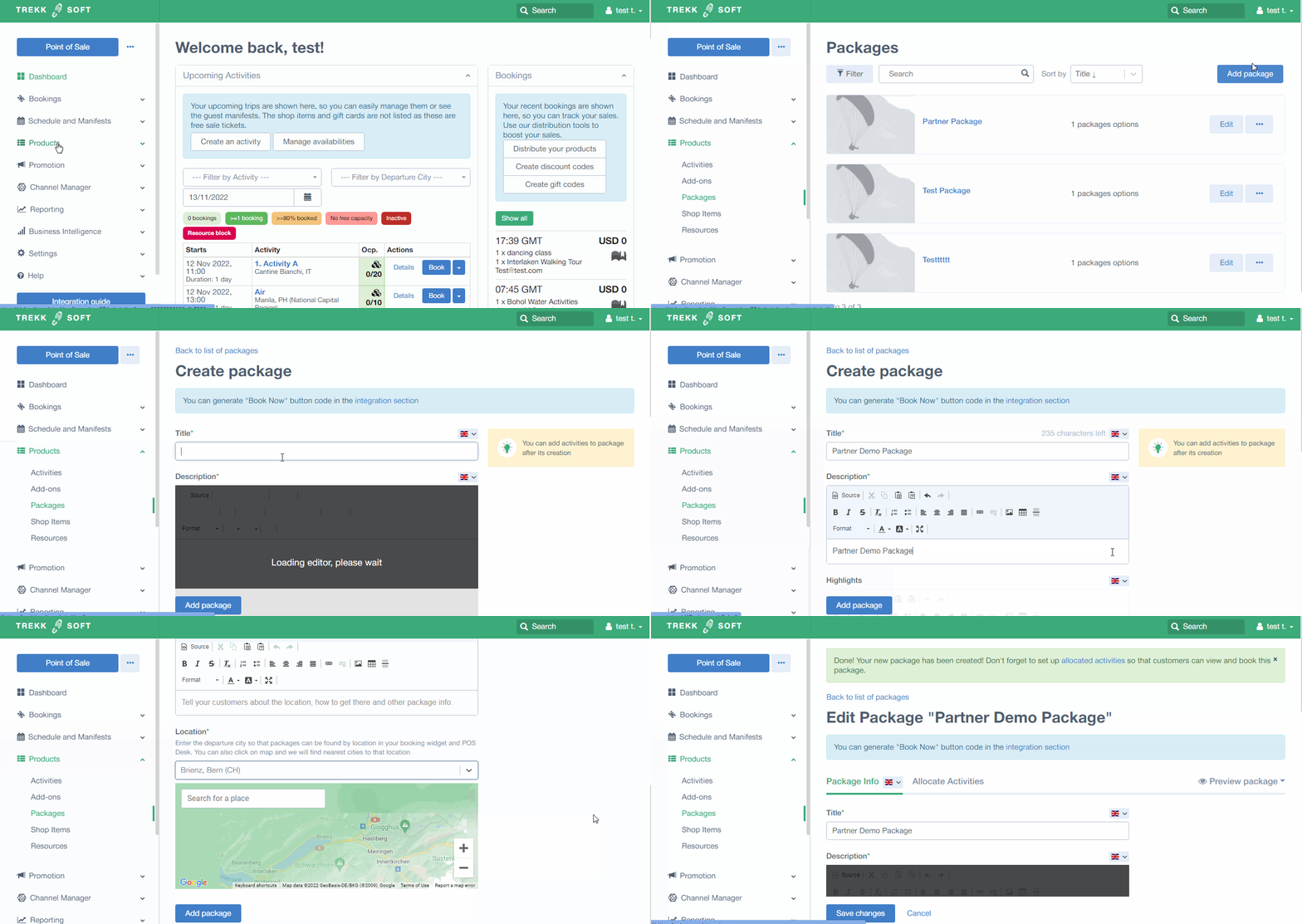
First of all, we're going to create a package as we normally do. Checkout this article about How to create a Package.
Go to Products > Packages > Add package and then define main information for the package.
Now, go to Allocate Activities > Add Activity to add the activities to the package. You will see your activities mixed with the activities your partner is sharing with you in the list.
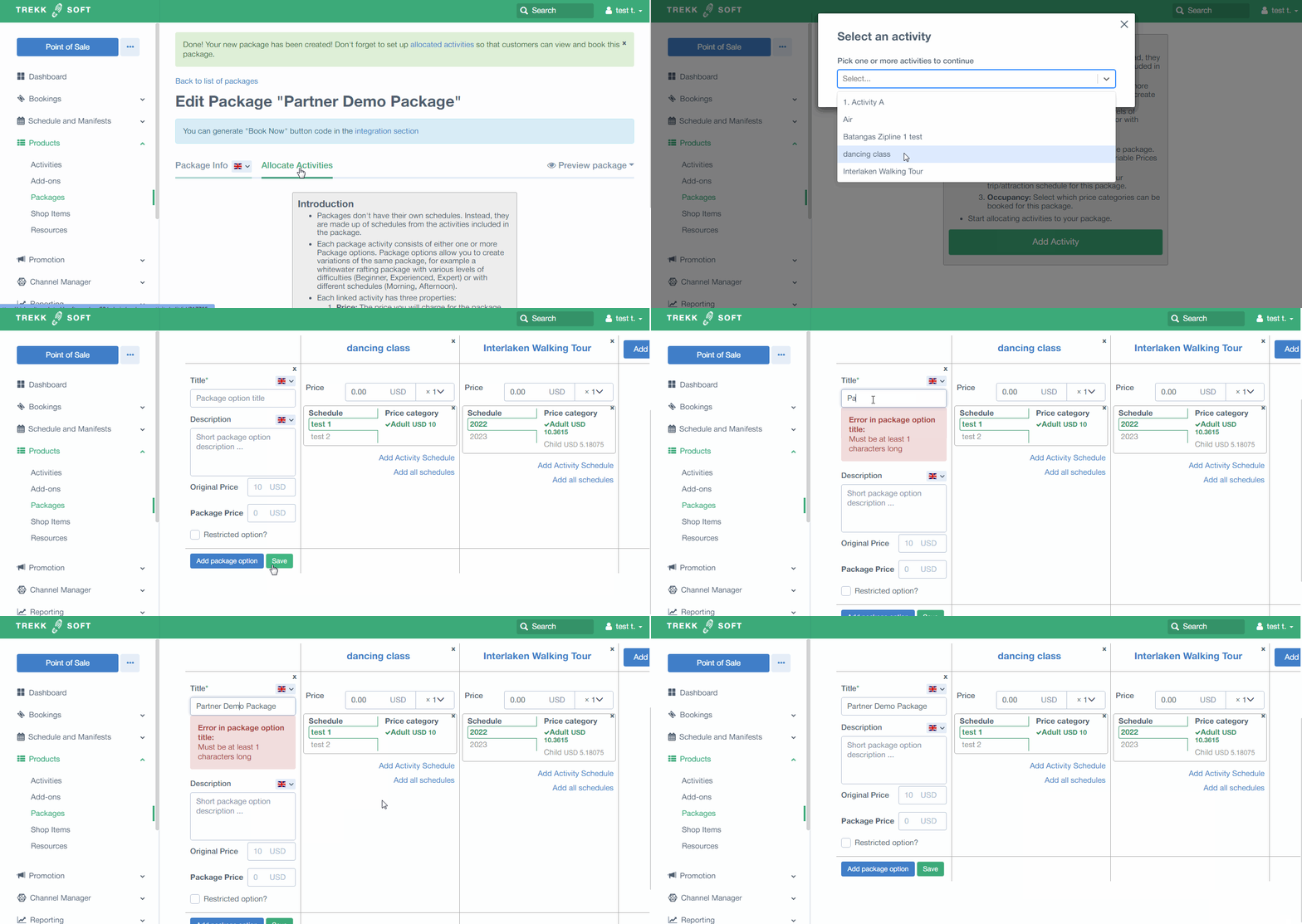
NOTE! Partner activities will only show up if, as a partner, you're using Net Rates.
When selling them:
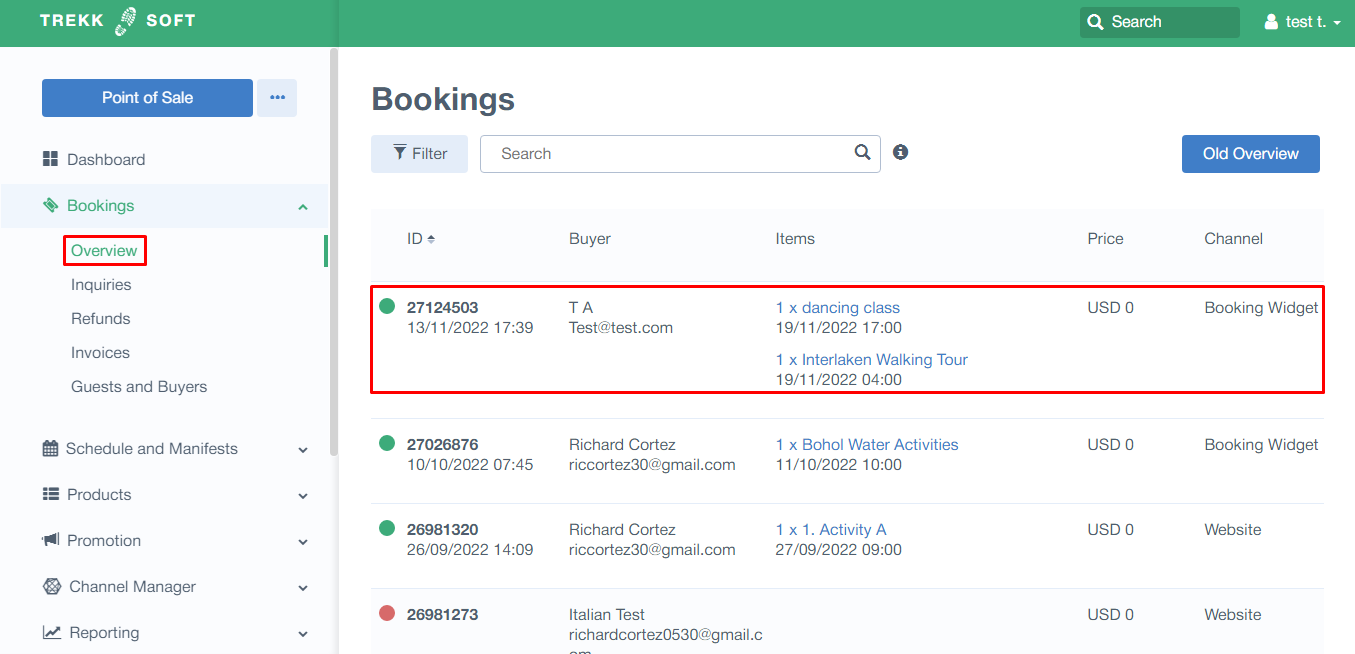
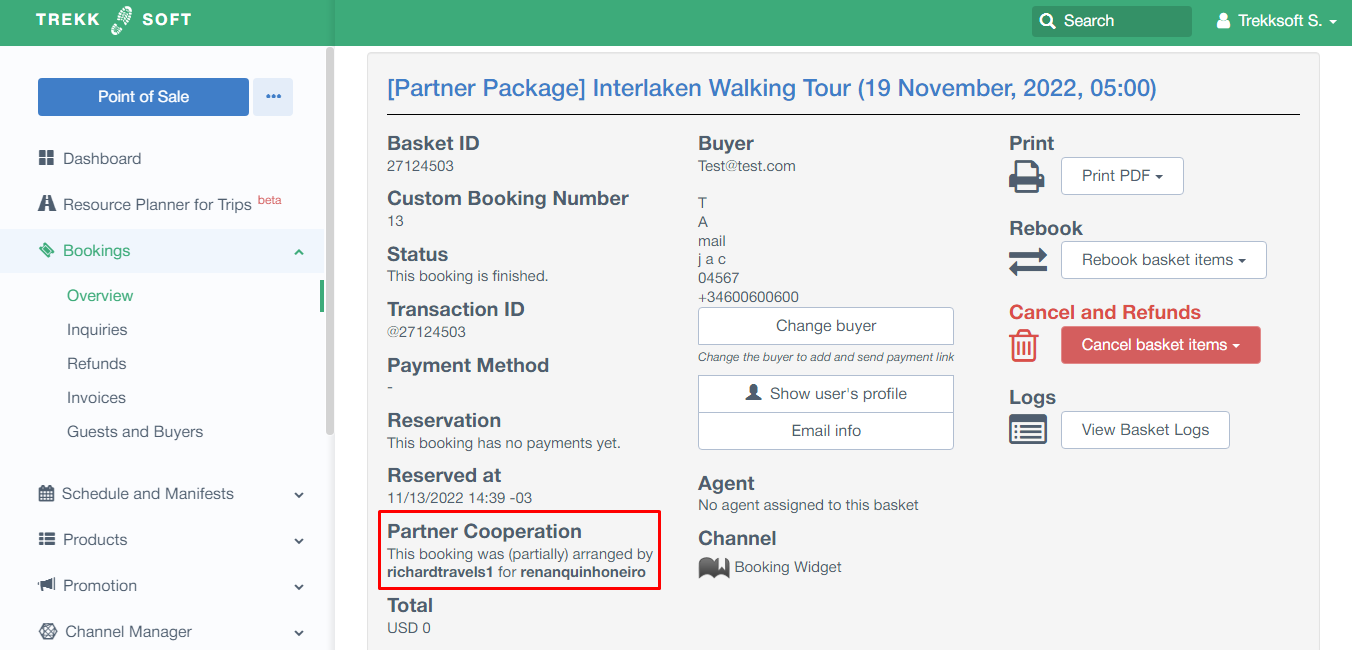
- The seller will see the sold package normally in the Bookings Overview
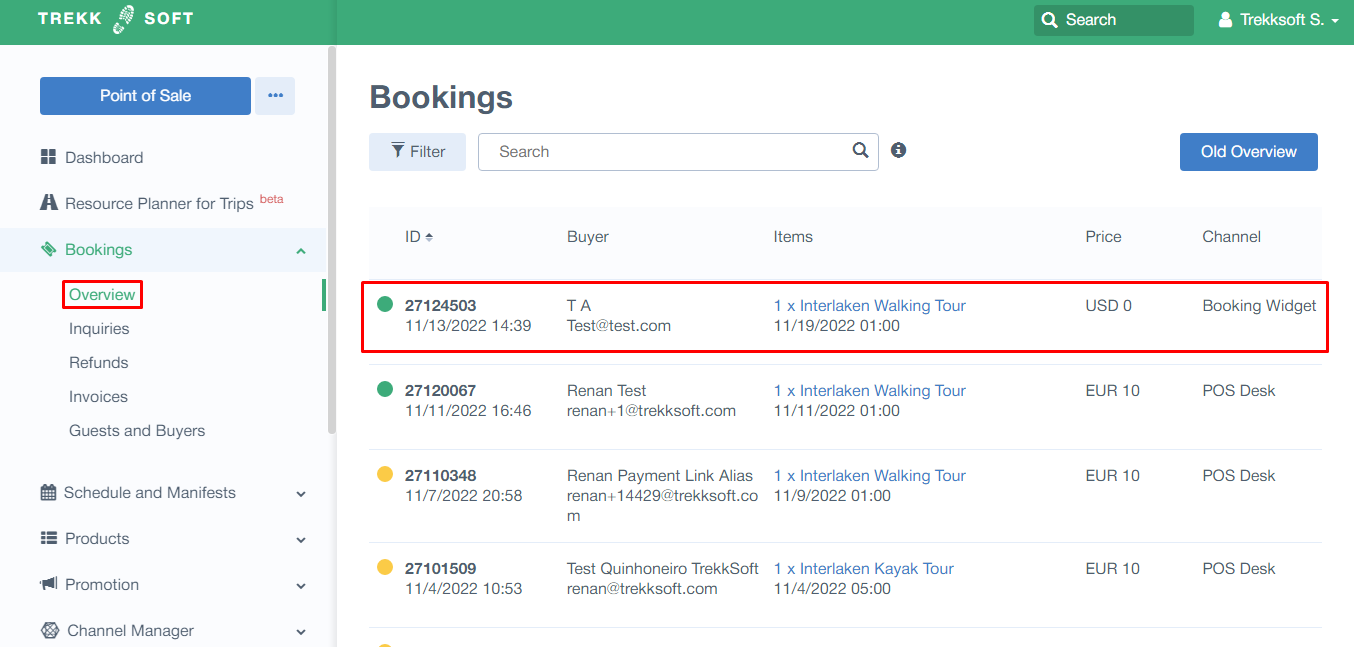
- The activity provider will see the basket value as just the value of the activity that belongs to the company:
SOME POINTS TO NOTE!
- Both Partner and Seller will show the same Basket ID.
- Under Reports, it will show on the Sales reports for the seller; and Partner Reports for the activity provider.